Nest
Key takeaways
- Put everything in one shared place that every adult and older child can see.
- Use five building blocks: a calendar, a shopping list, a meal plan, a task list and a notice board.
- Hold a 15 minute weekly check in to plan the week ahead.
- Share the jobs, not just the information, so one person is not carrying everything.
If your family runs on a mix of group chat messages, sticky notes, screenshots and one person’s memory, you are not alone. It is the default for most households. It also explains why things get missed: the dentist appointment nobody wrote down, the milk two people bought, the school trip money that was due yesterday.
The fix is not a complicated productivity method. It is a simple shared system with a few clear building blocks and a short weekly habit. This guide walks through each part.
Why family life feels so hard to organize
A household is a small organization with no manager, no shared inbox and no job descriptions. Information arrives from everywhere: school emails, work rotas, birthday invitations, a partner mentioning that the car needs a service. When that information lives in different places, someone has to hold it all in their head.
That someone usually becomes the default organizer. They remember the dates, write the lists and notice when things run out. This is often called the mental load, and it is one of the biggest sources of stress at home. A good family system spreads that load across everyone.
Step 1: Choose one shared home for everything
The single most important decision is where your family’s information lives. Pick one place that everyone can open on their own phone, that updates for everyone at once, and that is simple enough for the least techy person in the house.
Paper planners on the fridge work until someone is at the store and cannot see them. Separate apps for lists, calendars and notes work until nobody remembers which app holds what. A single family organizer app keeps it together.
Step 2: Set up the five building blocks
1. A shared family calendar
Every appointment, school event, practice and visit goes in one calendar that everyone can see. The rule is simple: if it is not in the calendar, it is not happening. Add events as soon as you hear about them, not later.
2. One shared shopping list
When someone uses the last of something, they add it to the list straight away. Whoever goes to the store next buys it. This one habit ends duplicate purchases and forgotten essentials. Read our guide to sharing a shopping list with your family for tips that make it stick.
3. A weekly meal plan
Decide the week’s dinners once, ideally before your main grocery run. It saves money, cuts down on takeout and removes the daily “what’s for dinner?” debate. Our weekly meal planning guide covers how to do it in 20 minutes.
4. A shared task list for chores and jobs
Write the jobs down where everyone can see them, from booking the car service to taking out the trash. Visible tasks get done. Invisible tasks fall to whoever notices them first.
5. A family notice board
Some information is not an event or a task. It is news: “Grandma is staying next weekend”, “The HVAC technician is coming Tuesday”, “Any ideas for the summer vacation?”. A family notice board keeps these messages visible instead of lost in a chat.
Step 3: Hold a 15 minute weekly family check in
Pick a regular time, such as Sunday evening, and spend 15 minutes looking at the week ahead together. A simple agenda works well:
- Calendar: what is happening this week, and who is driving, collecting or attending?
- Meals: what are we eating each night, and who is cooking?
- Shopping: what do we need for those meals and for the house?
- Tasks: which jobs need doing this week, and who is taking each one?
- Anything else: questions, ideas or news to share.
Keep it short and keep it regular. A quick check in every week beats a long planning session once a month.
Step 4: Share ownership, not just information
A shared calendar does not help much if only one person ever adds to it. The goal is for everyone to contribute. Give each family member something they own: one person runs the meal plan, another keeps the shopping list topped up, older children add their own events and tick off their own chores.
Step 5: Make it a habit with small triggers
- Add events to the calendar the moment an invite arrives.
- Add an item to the list the moment you finish the last of it.
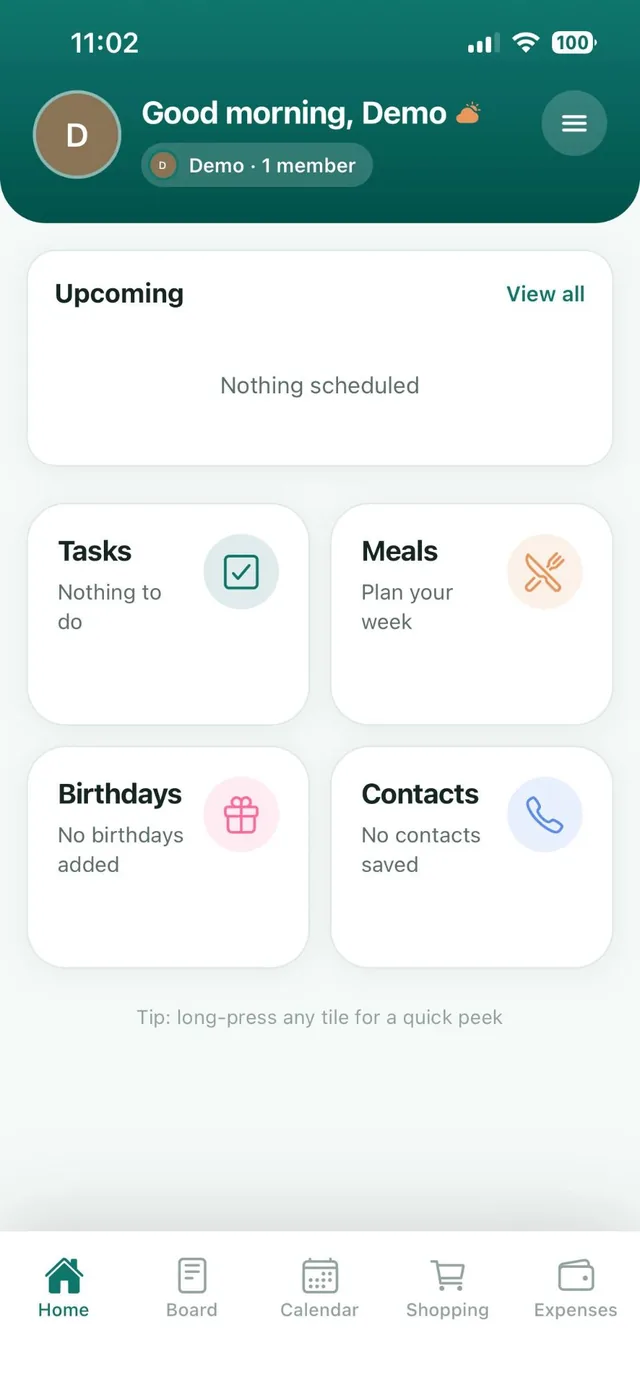
- Check the Home screen each morning to see what is coming up.
- Post news on the notice board instead of the group chat.
Common mistakes to avoid
- Too many tools. If information lives in four apps, people stop checking.
- One person does all the updating. The system becomes their job instead of the family’s.
- Skipping the weekly check in. Without it, plans drift and surprises creep back in.
- Making it complicated. Color codes and categories are nice, but only if people actually use them.
The bottom line
An organized family is not one with a perfect plan. It is one where everyone can see what is happening and what needs doing, in one place, at any time. Start with one shared home, set up the five building blocks and protect a short weekly check in. Within a few weeks, the chaos becomes routine.
Bring the money into the system
Calendars and lists cover the week. Money needs a home too, or it stays in one person’s head.
- Pick one place for expenses and add them as they happen. In Nest, a category is suggested as you type.
- Let bills remind themselves. With Premium, each bill sends the family a reminder at 9 am on its due day.
- Look at the month together. The Overview shows the total, how it compares with last month and where the money went.
Read how to make a family budget.
Frequently asked questions
What is the best way to organize family life?
Keep everything in one shared place that every family member can see: a calendar, a shopping list, a meal plan, a task list and a notice board. Then hold a short weekly check in to plan the week ahead.
Is there an app to organize my family?
Yes. Nest is a family organizer app for iPhone and Android with a shared notice board, shopping lists, meal planner, calendar, tasks, birthday reminders, contacts, expenses, budgets and bills. It is free for up to 3 family members.
How do I get my family to actually use a shared system?
Keep it simple, use one app instead of several, give each person something they own, and review it together for 15 minutes each week.