 Nest
Countdowns and reminders
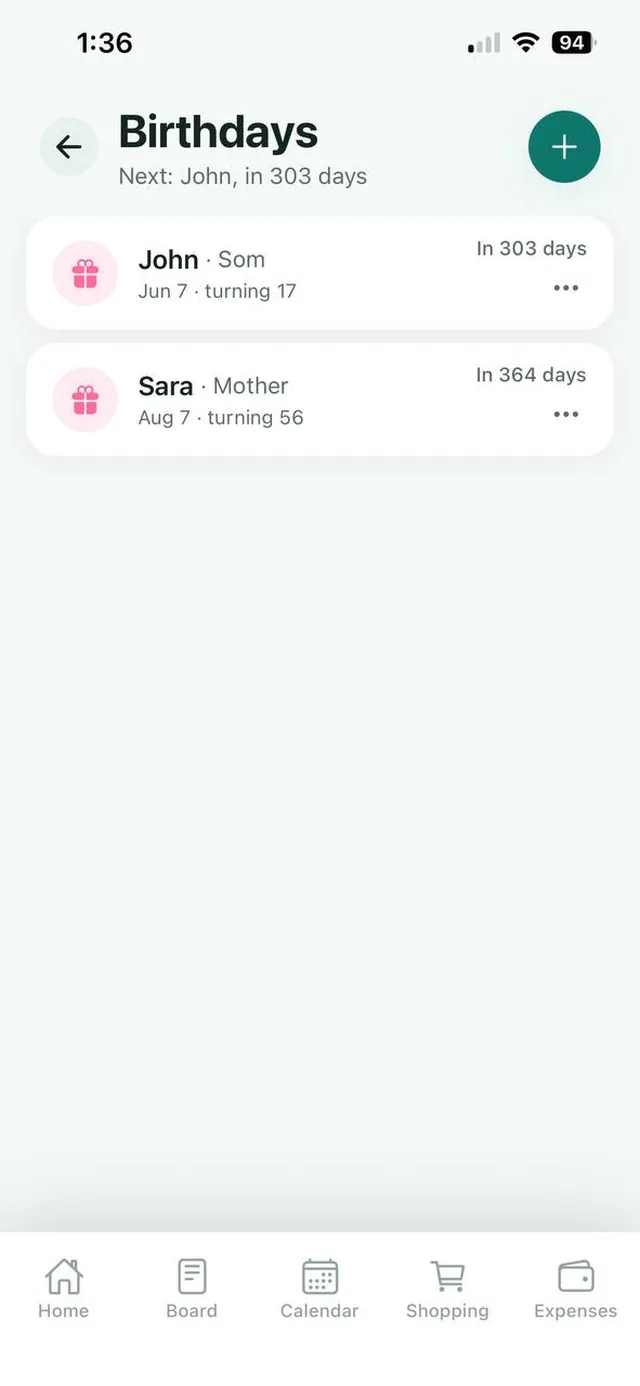
Every birthday shows how many days to go, and Nest reminds you on the morning of the big day.
Save the birthdays that matter, see exactly how many days are left and how old they are turning. Keep the family’s important numbers in one shared place too.
Free for up to 3 family members, with no ads. Available on iPhone and Android.
Every birthday shows how many days to go, and Nest reminds you on the morning of the big day.
See the age each person is turning, with a label such as Mother or Son.
Save the school, the doctor or the plumber where everyone can find them.
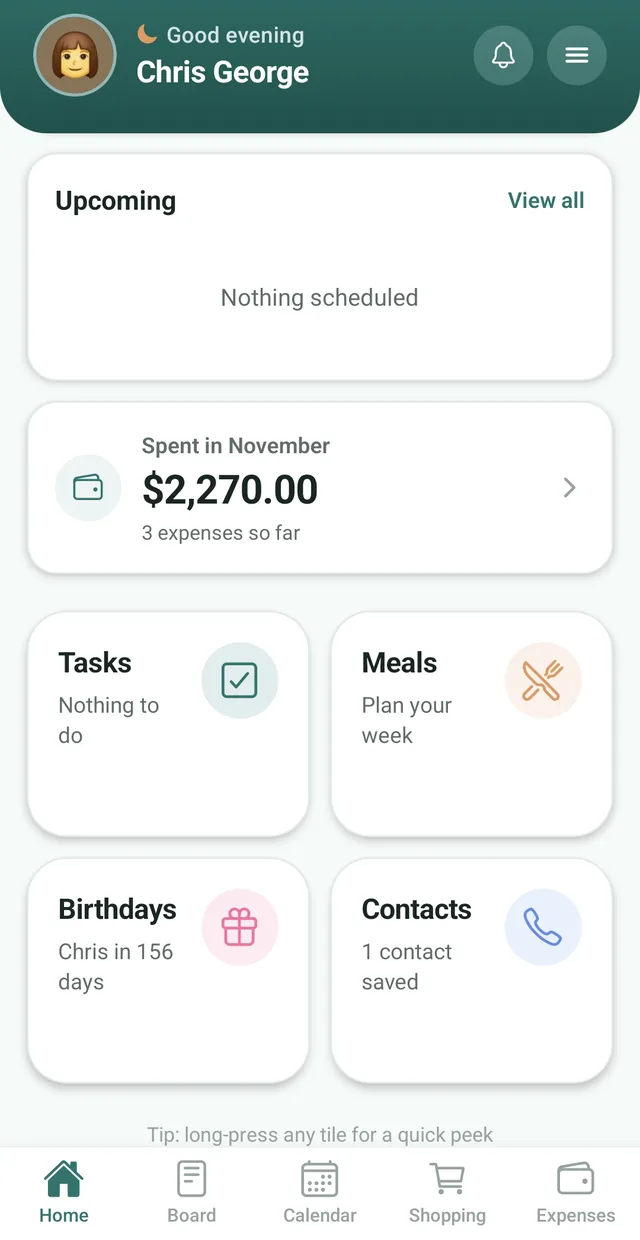
In most families one person remembers every birthday. Nest shares that job. Add a birthday once and everyone in the family can see it, with a countdown so nobody is caught out.
Each entry shows the date, the relationship and the age they are turning, and the subtitle always shows who is next, for example “Next: John, in 303 days”.
Alongside birthdays, the Contacts tile keeps the numbers your household needs in one place. Pair them with a notice on the family notice board when plans need sharing.
Both sides of the family’s birthdays in one list, so neither of you forgets.
See Nest for couples For busy parentsSee party dates coming with time to buy a gift.
See Nest for busy parents For families with teensTeenagers see family birthdays coming too, on their own phone.
See Nest for families with teensNeed more detail? The Nest Help Center has step by step guides.
Tap the Birthdays tile on your Nest Home screen.
Tap the plus button and enter their name, relationship and date of birth.
Nest shows who is next and how many days are left.
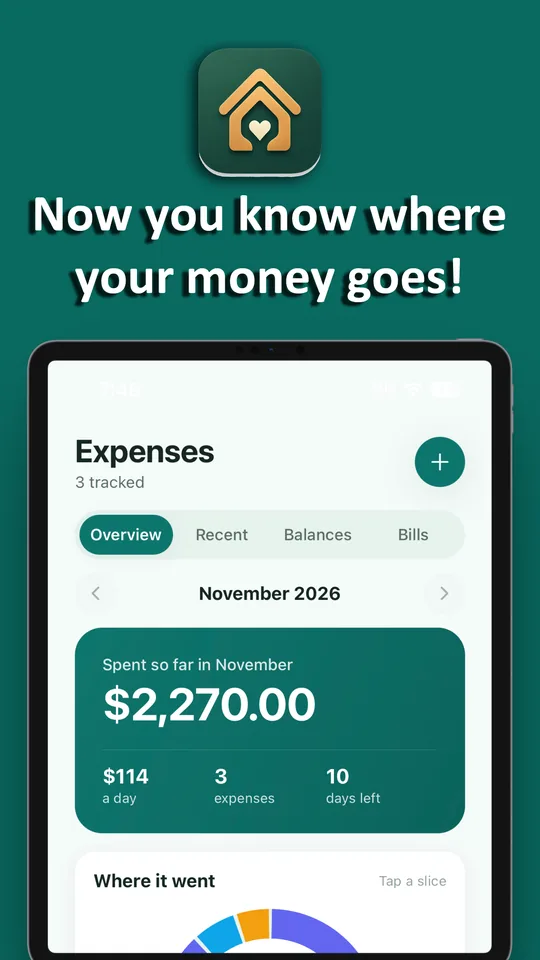
A birthday countdown tells you when to buy. Expenses tell you what it cost, so the party and the present show up in the month’s numbers.
Open the Birthdays tile on the Home screen, tap the plus button, and enter the person’s name, relationship and date of birth.
Yes. Every birthday shows a countdown in days, and the top of the list shows who is next.
Yes. Each birthday shows the age the person is turning.
Yes. Open the Contacts tile on the Home screen to save names and phone numbers your family needs.
Yes. Nest sends a reminder on the morning of each family birthday.
Yes. Nest is free for families of up to 3 members, with Nest Premium for bigger families.
No. Nest has no ads anywhere in the app, including the birthdays and contacts, on the free plan or on Premium.
Nest has no ads and does not connect to your bank. It needs only permission to send notifications, and its privacy policy states that it does not sell your personal information. Content you add is visible to the members of your family.
Free for up to 3 members, with no ads. Download it today on iPhone or Android.