 Nest
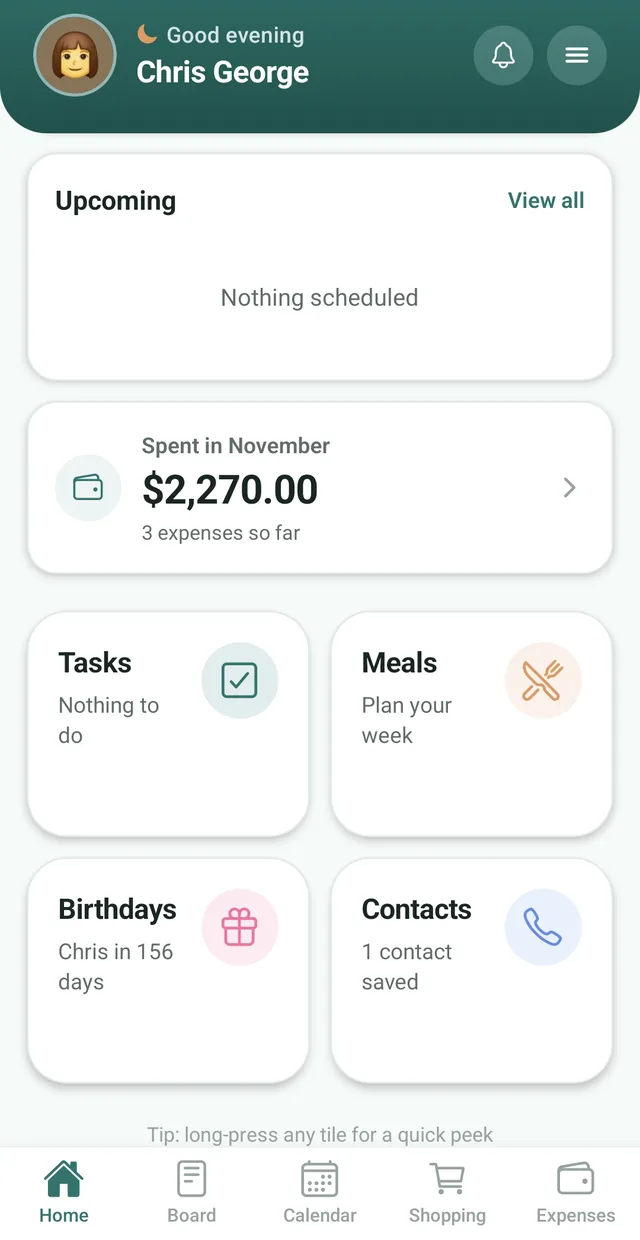
One shared chore list
Every chore and to do lives on one list that the whole family can open on their own phone.
Put every chore and to do on one shared list. Everyone can see what needs doing, when it is due and what is already done.
Free for up to 3 family members, with no ads. Available on iPhone and Android.
Every chore and to do lives on one list that the whole family can open on their own phone.
Give a task a due date so everyone knows when it has to be done.
Nest Premium lets you assign a task to any family member, so it is clear whose job it is.
Most arguments about chores are really arguments about memory. Who said they would do the dishes? Was the trash supposed to go out today? When the list lives in one person’s head, that person ends up doing the reminding, and everyone else ends up feeling nagged.
Nest moves the list out of your head and onto everyone’s phone. Add a chore or a to do, give it a due date if it has one, and it shows up for the whole family. When someone ticks it off, everyone sees it. The Tasks tile on the Home screen shows what is open and reads “Nothing to do” when the list is clear.
Chores sit next to the rest of family life: the shared calendar, the shopping list and the meal planner. Not sure which jobs to hand out? Read our list of age-appropriate chores for kids and our guide to making a family chore chart that works.
A visible list of house jobs, so the admin is shared instead of assumed.
See Nest for couples For families with teensChores ticked off without nagging, and no debate about who agreed to what.
See Nest for families with teens For roommatesOne chore list for the whole house, so it is always clear what is left to do.
See Nest for roommatesNeed more detail? The Nest Help Center has step by step guides.
Tap the Tasks tile on your Nest Home screen.
Tap the plus button, name the task and give it a due date if it needs one.
Mark it done and the whole family sees the progress.
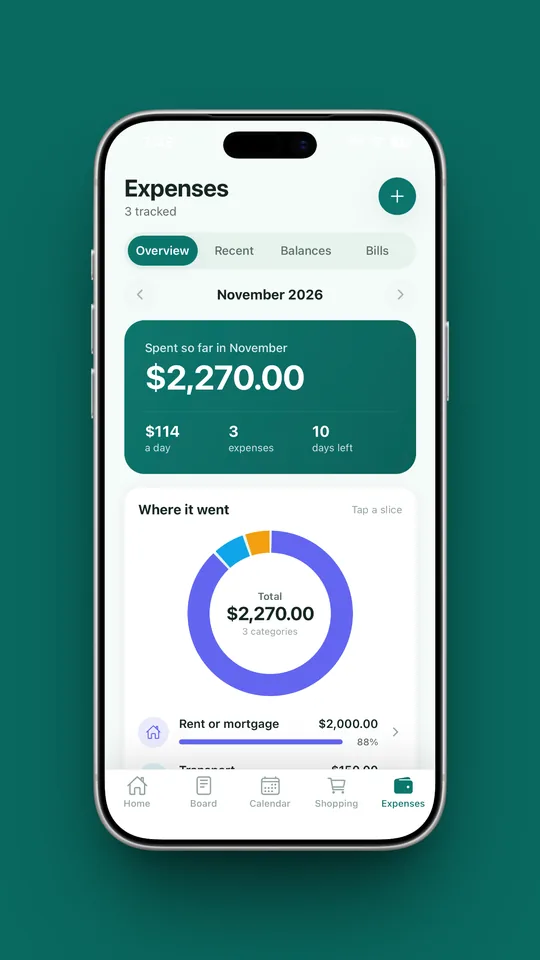
Running a family is jobs and costs. Nest keeps the jobs in Tasks and the costs in Expenses, so everyone sees what needs doing and what the household spends.
Yes. Nest: Family Organizer includes a shared task list for chores and to dos. Add a chore, give it a due date and tick it off when it is done, and the whole family sees the progress. Nest also includes shopping lists, a meal planner, a calendar, a notice board, birthdays, contacts and expenses.
Tap the Tasks tile on the Home screen, tap the plus button, name the task and add a due date if it needs one. It appears for everyone in your family.
Yes, with Nest Premium. Premium lets you assign a task to any family member and removes the limit on active tasks.
The free plan includes 5 active tasks at a time for up to 3 family members. Nest Premium unlocks unlimited active tasks.
Yes. Give any task a due date when you add it.
No. Nest keeps chores simple: a shared list, due dates and a tick when a job is done. If points and rewards matter most to you, see our comparison of the best chore apps for families.
Nest is rated 16+ on the App Store, so it is designed for parents and older teenagers to use on their own phones. Many parents keep the family chore list in Nest and go through it with younger children.
Yes. Nest is free for families of up to 3 members with 5 active tasks at a time, and it has no ads.
Yes, with Nest Premium. When you add or edit a task, choose how often under Repeat: daily, on weekdays, weekly on the days you pick, every 2 weeks, monthly or yearly, with an optional end date. A repeating task comes back with its next due date each time someone ticks it off.
Yes. You are told when someone gives you a task, and at 9 in the morning about tasks due that day, in the family’s time zone. You can switch these on or off under Tasks in your notification settings.
No. Nest has no ads anywhere in the app, including the chore list, on the free plan or on Premium.
Nest has no ads and does not connect to your bank. It needs only permission to send notifications, and its privacy policy states that it does not sell your personal information. Content you add is visible to the members of your family.
Free for up to 3 members, with no ads. Download it today on iPhone or Android.