 Nest
One list for everyone
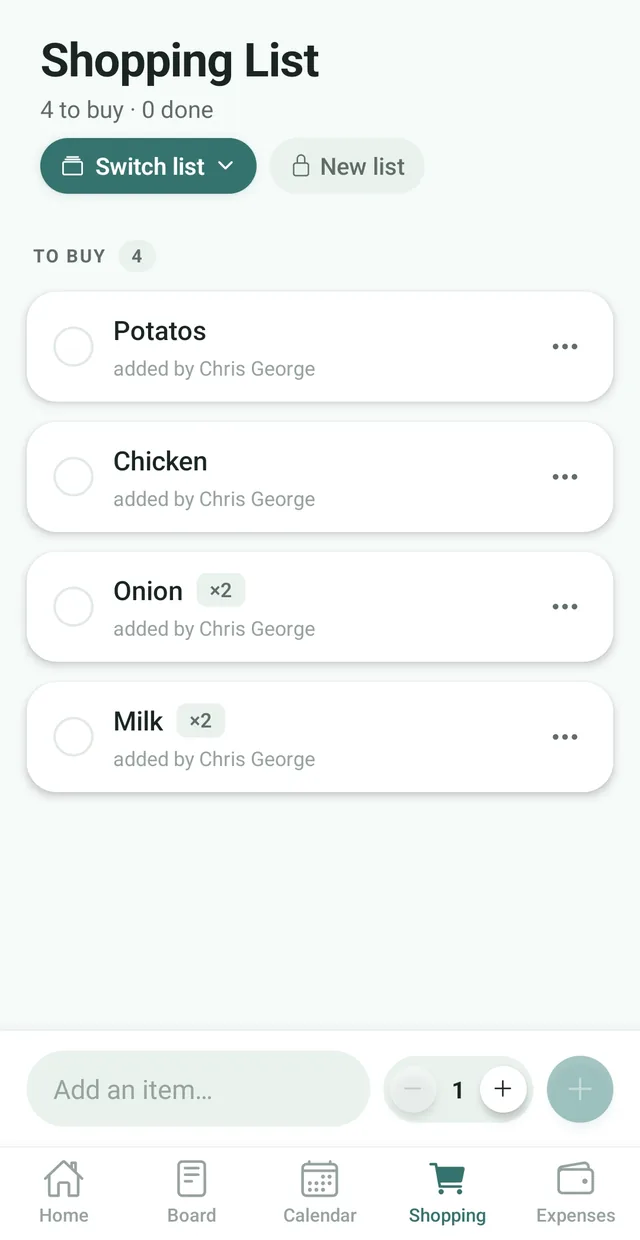
Every member of your family adds to the same list, and each item shows who added it.
Everyone adds what they need, wherever they are. Whoever ends up at the store sees the full list, with quantities and who asked for what.
Free for up to 3 family members, with no ads. Available on iPhone and Android.
Every member of your family adds to the same list, and each item shows who added it.
Set how many you need before you add an item, so “×2” means two cartons of milk, not a guess.
Tick an item off and it disappears from everyone else’s list straight away, so nobody buys it twice.
Most families run their shopping through a mix of group chat messages, sticky notes and memory. Things get missed, the same item gets bought twice, and nobody is quite sure what is still needed.
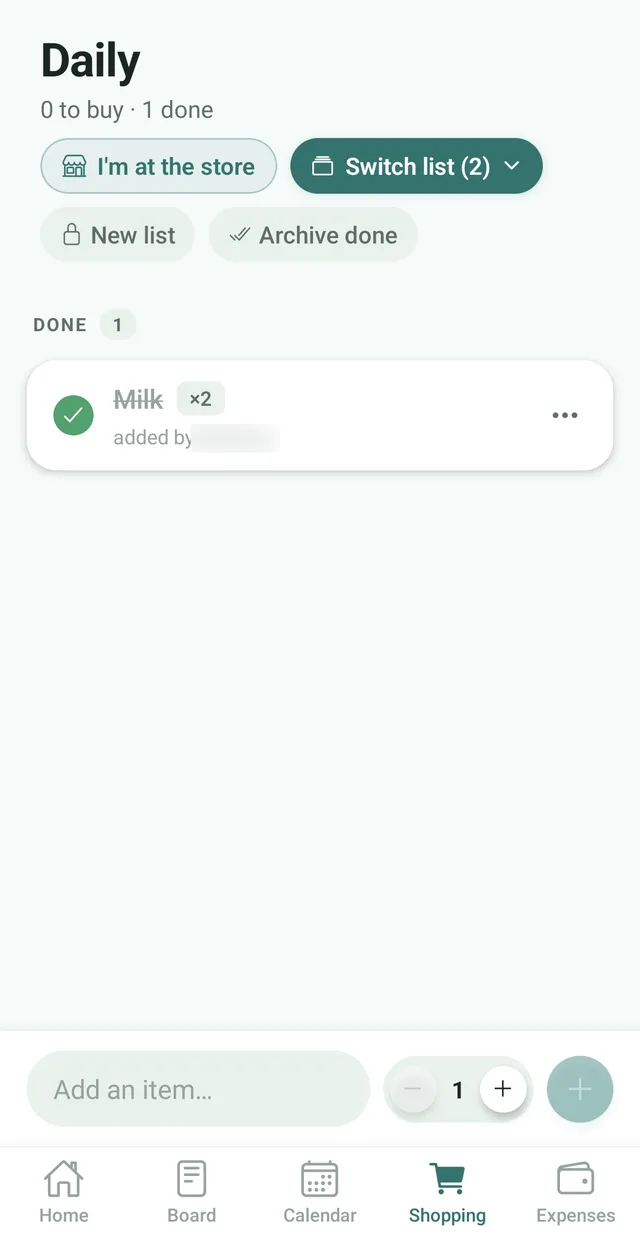
Nest gives your household one shared shopping list that lives on everyone’s phone. Add something the moment you notice it is running low, and it is there for whoever goes to the store next. Each item shows who added it, and the header keeps a running count of what is left to buy and what is done.
Heading to the store? Tap I’m at the store and everyone else in the family gets a notification: “Need anything? Add it to the shopping list now.” For the next hour, what they add reaches you within a minute or two instead of the usual wait, and it appears on your list live as you shop.
With Nest Premium you can keep separate lists for the weekly grocery run, a party or the hardware store. When you finish a trip, archive the items you bought. They move out of the way but stay a tap away if you need to look back. Planning meals for the week? The Nest meal planner can send every ingredient straight to your list.
One of you notices the coffee is low and adds it. The other picks it up on the way home.
See Nest for couples For busy parentsChildren add what they need for school, so it is on the list before the weekly grocery run.
See Nest for busy parents For families with teensTeenagers add their gym clothes and cooking class ingredients themselves, a day early.
See Nest for families with teensNeed more detail? The Nest Help Center has step by step guides.
Tap the Shopping tab at the bottom of the Nest app.
Type what you need, set the quantity with the minus and plus buttons, then tap the plus button.
At the store, tap the circle next to each item as it goes in the basket.
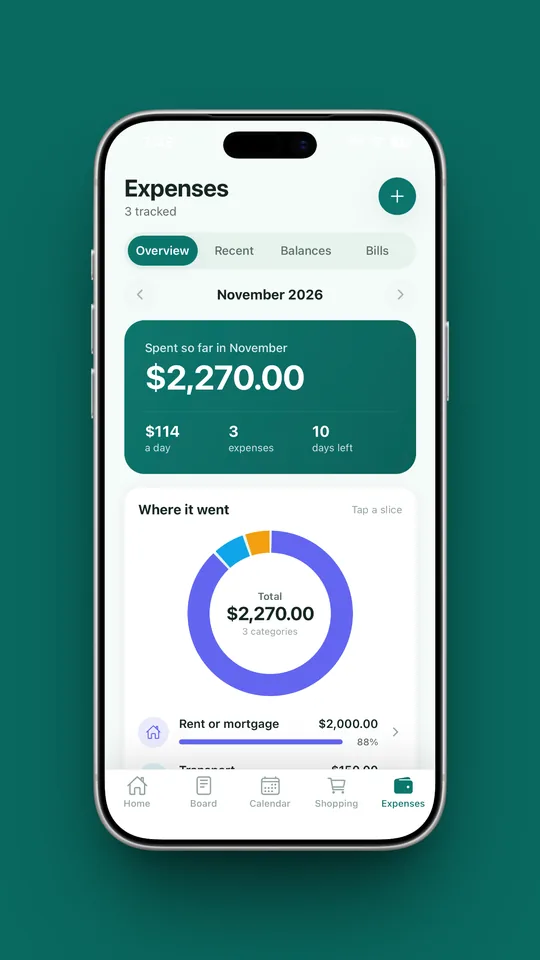
A shopping list tells you what to buy. Expenses tell you what it cost. Nest keeps both in the same app, so the weekly shop never drops out of your budget.
Yes. Everyone in your family on Nest sees the same shopping list and can add items and tick them off. Each item shows who added it.
Yes, with Nest Premium. The free plan includes one shared shopping list. Premium unlocks unlimited lists, and you can use Switch list and New list to move between them.
Yes. Nest sends one notification about 5 minutes after someone in your family stops adding items, so a big shop arrives as one message, not one per item. You can turn it off in Family, Notifications.
Yes. When someone adds or ticks off an item, it updates on everyone else’s phone straight away.
Yes. Use the minus and plus buttons next to the quantity before you add an item. Items with more than one show a badge such as ×2.
Yes. In the Meal Planner, tap Send ingredients to Shopping and the ingredients for your planned meals are added to your shopping list.
Yes. The free plan includes one shared shopping list for up to 3 family members. Nest Premium adds unlimited lists and members.
On the Shopping tab, tap I’m at the store. Everyone else in your family gets a notification, and whatever they add appears on your list as you shop. For the next hour Nest tells you about new items within a minute or two instead of the usual five. It is free, and it appears when your family has more than one member.
Yes. Tap I’m at the store on the Shopping tab. Each person can announce once every 20 minutes, so a double tap does not notify everyone twice, and the notification follows your Shopping list switch.
No. Nest has no ads anywhere in the app, including the shopping list, on the free plan or on Premium.
Nest has no ads and does not connect to your bank. It needs only permission to send notifications, and its privacy policy states that it does not sell your personal information. Content you add is visible to the members of your family.

Free for up to 3 members, with no ads. Download it today on iPhone or Android.