 Nest
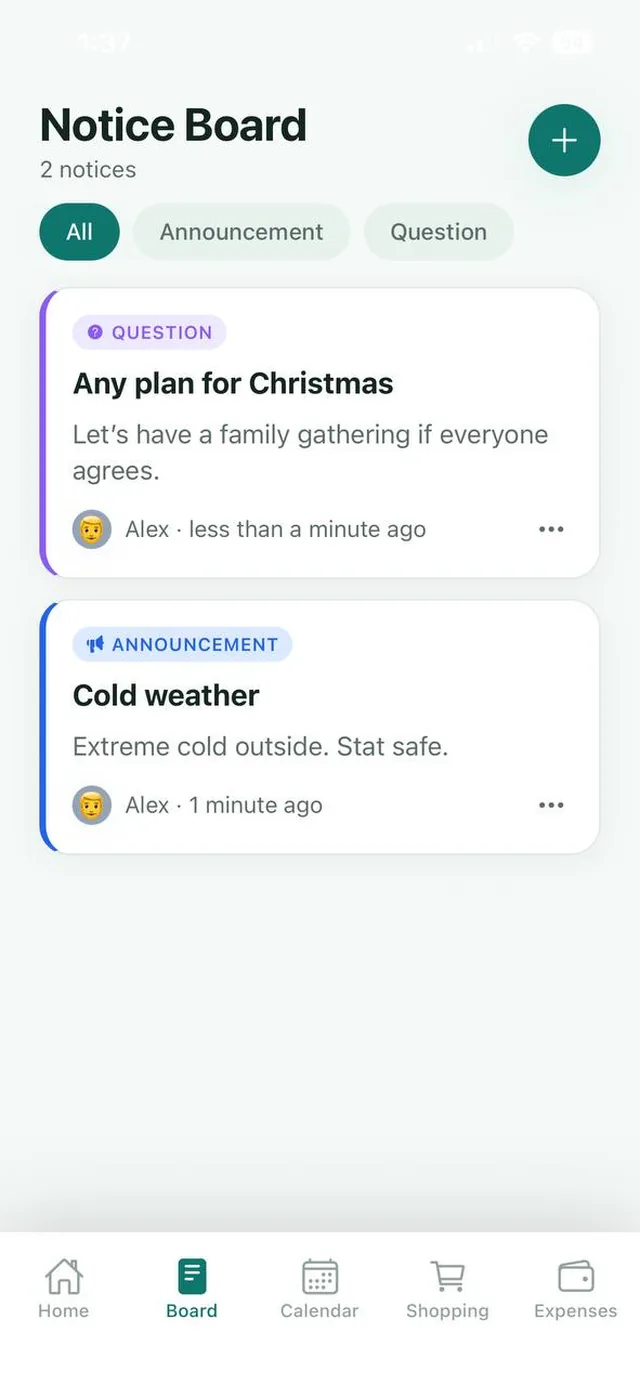
Six notice types
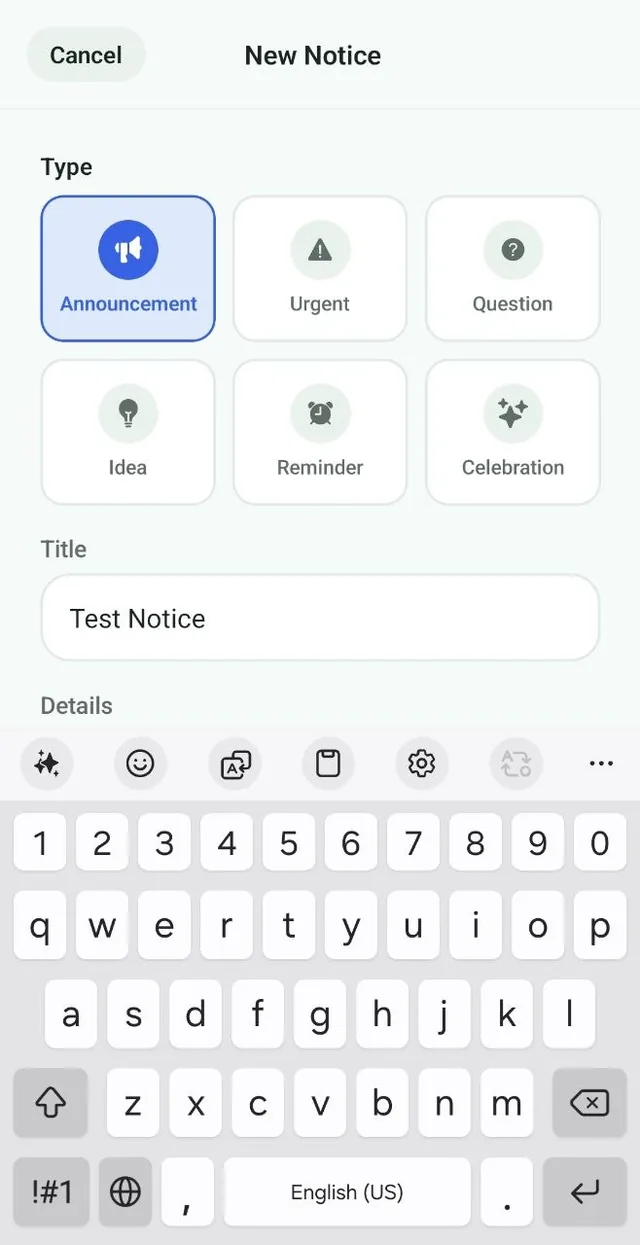
Announcement, Urgent, Question, Idea, Reminder and Celebration, each with its own color.
Important news gets buried in group chats. Nest gives your family one board for announcements, questions and reminders that everyone checks.
Free for up to 3 family members, with no ads. Available on iPhone and Android.
Announcement, Urgent, Question, Idea, Reminder and Celebration, each with its own color.
Show only questions or only announcements with the filter chips at the top.
Every notice shows who posted it and when, so there is no confusion.
A paper notice board on the fridge works because everyone walks past it. A group chat does not, because the message that mattered scrolls away under memes and quick replies.
The Nest notice board brings back the best of the fridge door. Each notice stays on the board with a clear, color coded label, so the family can tell at a glance whether something is urgent, a question that needs an answer, or good news worth celebrating.
Need everyone to remember something on a specific day? Pair a notice with an event on the family calendar.
A question on the board, “Dinner with friends Saturday?”, answered before lunch.
See Nest for couples For busy parentsA reminder about spirit day that the whole family sees.
See Nest for busy parents For families with teensAn urgent notice about a changed pickup time that does not get left on read.
See Nest for families with teensNeed more detail? The Nest Help Center has step by step guides.
Tap the Board tab, then the round plus button at the top right.
Choose Announcement, Urgent, Question, Idea, Reminder or Celebration.
Add a title and details, then post it for the whole family to see.
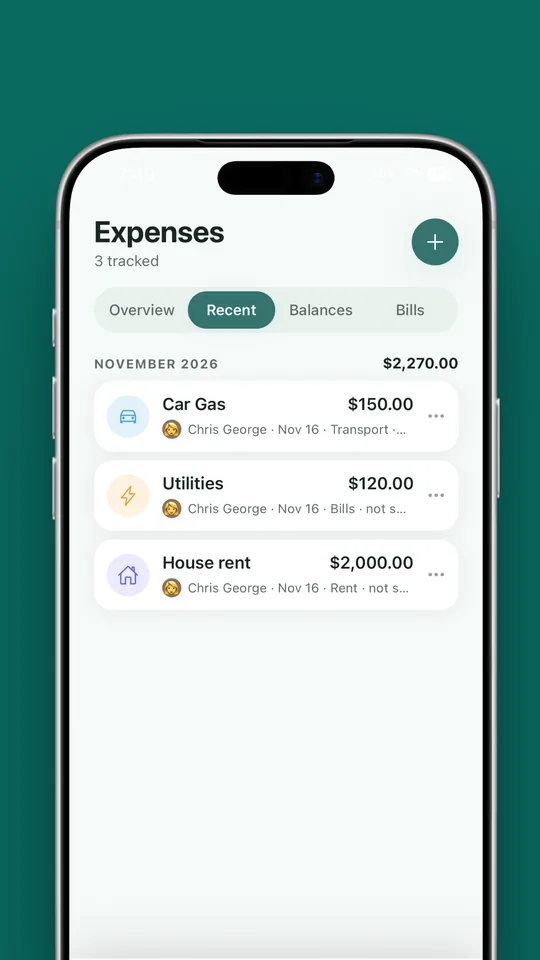
“Who paid for the plumber?” and “Is rent sent?” get buried in a chat. In Nest the answers live in Expenses, and the board is for the conversation around them.
You can post six types of notice: Announcement, Urgent, Question, Idea, Reminder and Celebration. Each has a title and optional details.
Use the filter chips under the Notice Board title. Tap a type to see only those notices, or All to see everything.
Yes. Tap the ••• menu on your notice to edit or delete it.
Notices are shared with the members of your family on Nest.
Notices stay on the board with a clear type and author, so important information is easy to find instead of being buried in a busy chat.
No. Nest has no ads anywhere in the app, including the notice board, on the free plan or on Premium.
Nest has no ads and does not connect to your bank. It needs only permission to send notifications, and its privacy policy states that it does not sell your personal information. Content you add is visible to the members of your family.

Free for up to 3 members, with no ads. Download it today on iPhone or Android.