Nest
Key takeaways
- Group chats mix important news with everyday chatter, so key messages get lost.
- Use the chat for conversation and a notice board for things everyone must see.
- Label notices by type so people know what needs action.
It starts with good intentions: one group chat for the whole family. Within weeks it holds photos, memes, voice notes, “what time are you home?” and, somewhere in the middle, the message saying the plumber is coming at 8am on Tuesday. Nobody can find it on Monday night.
Why important messages get lost in the family group chat
- Everything looks the same. An urgent update has the same weight as a joke.
- Messages scroll away. Anything older than a day is hard to find.
- Notifications get muted. Busy chats lead people to switch them off.
- Questions go unanswered. A question asked in a busy chat is easy to miss.
Separate conversation from information
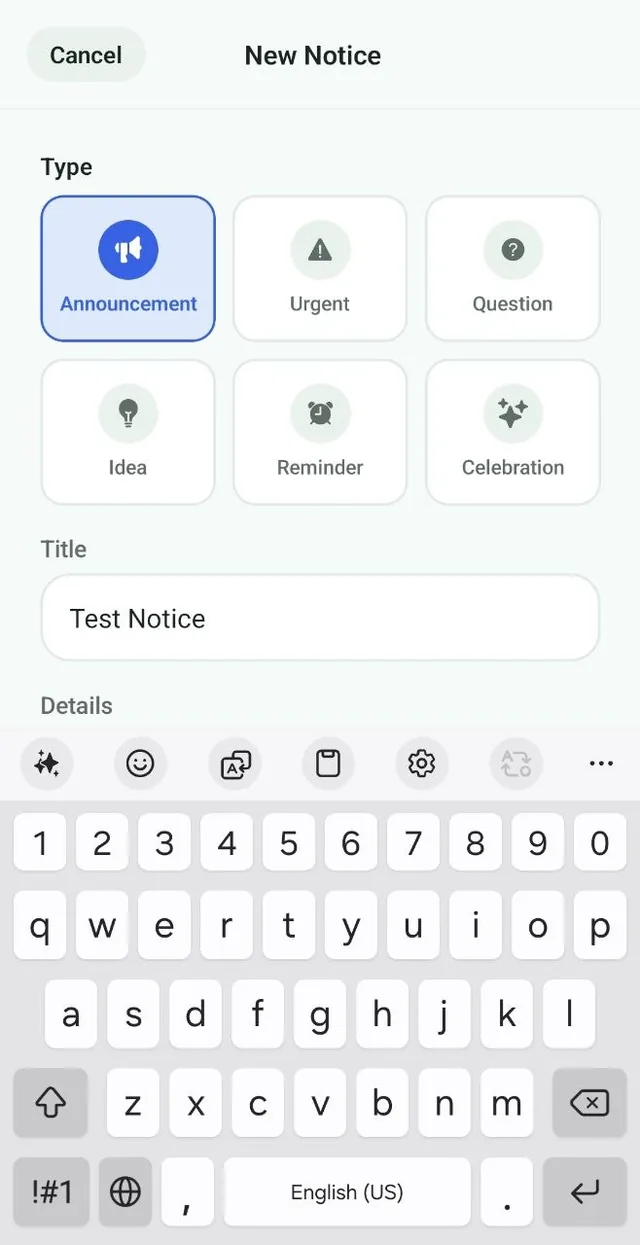
The fix is not to abandon the group chat. It is to stop using it for everything. Keep chatting there, and put information everyone must see in a dedicated family notice board, just like the paper board on the fridge, but on everyone’s phone.
What belongs on a family notice board
- Announcements: visitors, plans and changes to the routine.
- Urgent notices: things that need attention today.
- Questions: decisions the family needs to make together.
- Ideas: suggestions for weekends, vacations and meals.
- Reminders: trash night, forms to sign, money to send.
- Celebrations: good news worth sharing.
Tips for better family communication
- Agree as a family which messages go on the board and which go in the chat.
- Give every notice a clear title, such as “Plumber Tuesday 8am”.
- Use questions for decisions, so everyone can see the answer in one place.
- Add dates to the family calendar as well, so they appear in upcoming plans.
The bottom line
Keep the group chat for chatting. Put the news everyone needs somewhere it will stay visible. Your family will spend less time asking “when was that?” and more time just knowing.
Take the money questions out of the chat
“Did you pay the electric bill?” is a question that disappears in a busy group chat. It has a better home.
- Put bills in Nest’s Bills tab with a due date, and the family is reminded on the day (Premium).
- Record who paid for what in Expenses, and let Balances show who owes who.
- Pin a post on the board for the decisions that need everyone to see them.
Frequently asked questions
What is a family notice board app?
A family notice board app is a shared space where family members post announcements, reminders, questions and news that everyone can see, without it getting lost in a busy chat.
Is a notice board better than a family group chat?
They do different jobs. Group chats are good for conversation. A notice board keeps important information visible and easy to find, labeled by type and author.
Does Nest replace our family group chat?
Nest complements it. Keep chatting in your group chat, and use the Nest notice board for announcements, reminders and questions everyone needs to see.