Nest
Key takeaways
- Check how the app makes money. Ads are the biggest reason apps collect more than they need.
- Check which permissions it asks for, and whether each one matches a feature you use.
- Check the privacy policy for a plain statement that your information is not sold, and a named list of the services that process it.
- Check who in your family can see what, and how to delete your data.
Privacy sounds abstract until you picture what a family app knows: when everyone is out, what you eat, who owes whom and what the household spends. This checklist takes about ten minutes and uses things you can see in the app store listing, the app’s privacy policy and the first screens of the app.
This guide is general information, not legal advice. Policies change, so check the date on any policy you read.
1. How does the app make money?
Free apps pay for themselves somehow. If the answer is advertising, the app has a reason to learn more about you, and often includes third party ad code. If the answer is a subscription that families choose to pay for, the incentives point the other way. Look for a clear statement that the app has no ads, and check the paid plan too.
2. Which permissions does it ask for?
Your phone asks before an app can use notifications, contacts, location, the camera, the microphone, photos or the calendar. Each permission should match something you actually do in the app.
| Permission | Makes sense when | Question to ask |
|---|---|---|
| Notifications | The app reminds you about shopping, events or bills | Can I switch each kind off? |
| Calendar | You choose to add events to your phone’s calendar | Does it only add events, or read mine too? |
| Contacts | The app invites people from your address book | Is it needed, or can I type a name instead? |
| Location | The app shows a map or local results | Does a family organizer need it? |
| Camera, microphone, photos | You scan, record or upload on purpose | Is it asked only when I use that feature? |
3. Does it sell or share your data?
Look in the privacy policy for a plain sentence such as “we do not sell your personal information”. Also check whether information is shared for marketing, and who else receives it.
4. Which services process your data?
Almost every app uses outside services for hosting, sign in, payments or crash reports. A good policy names them and says what each does, and states that they may not use the data for their own purposes. A policy that only says “trusted partners” tells you much less.
5. Does it want access to your bank?
Budget and expense apps often offer to connect to your bank accounts. That is convenient, and it also means handing a login to a third party. If you would rather not, look for an app that works when you add expenses yourself, and check that it does not store card or bank account numbers.
6. Who in the family can see what?
In a shared app, the people in your family can see what you add. Check who can join, who approves new members and whether you can remove someone. Invite links are convenient, so check how long they last and whether you can cancel them.
7. Can you delete your data?
The policy should say how long the app keeps information and how you can ask for it to be deleted. Look for a contact address and a description of what happens after you ask.
8. Is it designed for adults, children or both?
If children will be involved, read what the policy says about age limits, and who is responsible for family members the account holder adds.
The bottom line
You do not need to read every word of a policy. Check how the app makes money, which permissions it asks for, whether it sells data, who processes it, whether it wants your bank login, who in the family sees what, and how to delete it. An app that answers those plainly is usually one that respects you.
Frequently asked questions
How do I know if a family app is private?
Check how it makes money, which permissions it asks for, whether its privacy policy says it does not sell your information, which services process your data, whether it wants your bank login and how you can delete your data.
What permissions should a family organizer need?
Notifications are the main one, so the app can remind you about shopping, events and tasks. Calendar access makes sense only if you choose to add events to your phone calendar. Contacts, location, camera and microphone are rarely needed.
Do free family apps sell your data?
Not all do, but many free apps rely on advertising, which gives them a reason to collect more information. Read the privacy policy for a plain statement about selling data, and check whether the paid plan changes anything.
Is there a family organizer with no ads?
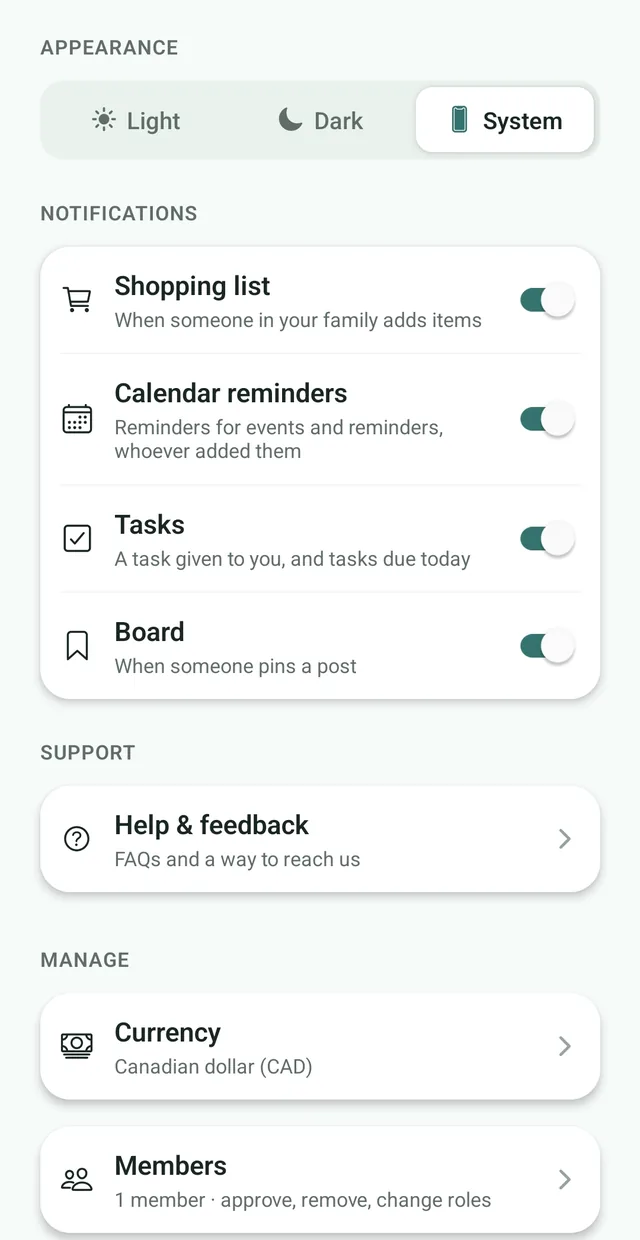
Yes. Nest: Family Organizer has no ads on any plan, does not connect to your bank and needs only permission to send notifications.
Can I delete my data from a family app?
A good privacy policy explains how. Look for a contact address and a retention statement. In Nest, you contact the team with a deletion request, and your personal data is deleted or anonymized within a reasonable period, except where the law requires some information to be kept.